


Public Domain Occupation Fee (RODP)
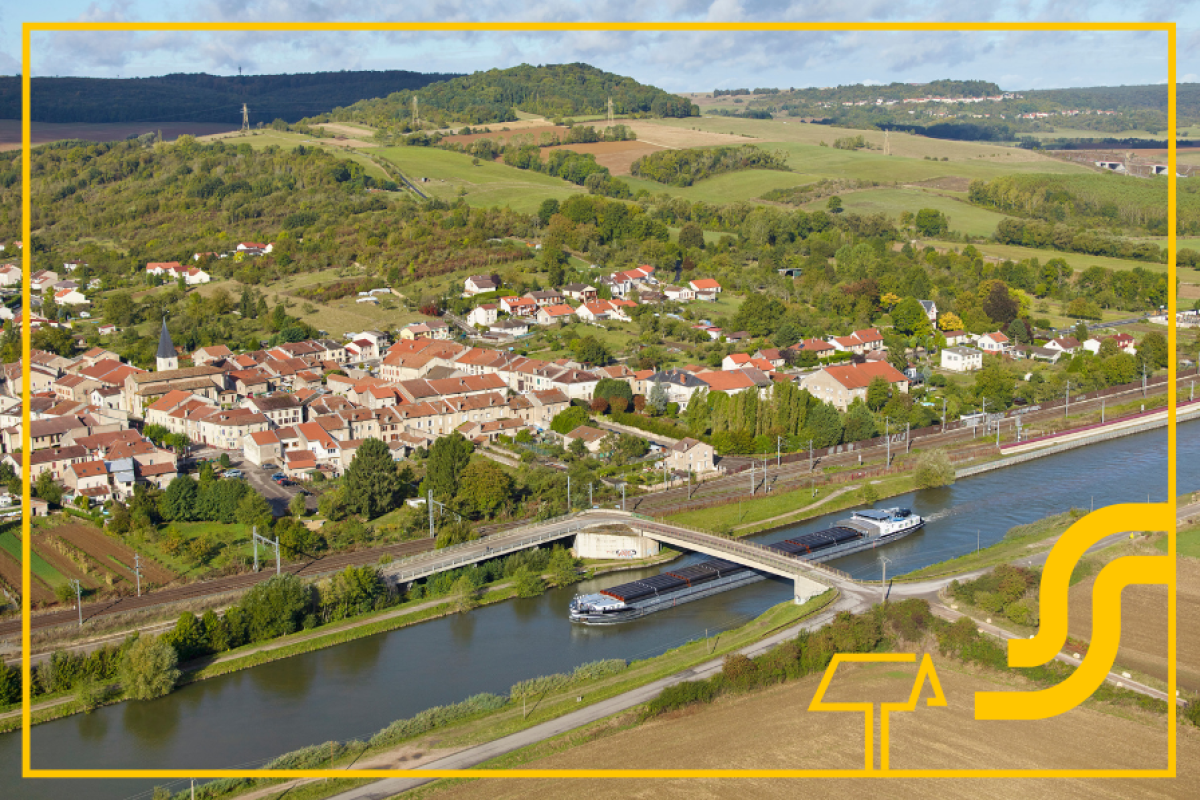
NaTran’s gas networks very often cross public land belonging to local authorities, departments and EPCIs (public establishments for inter-municipal cooperation): streets, pavements and local roads. When they occupy public land, they are using public property; this occupation entitles the relevant local authority, department or EPCI to a public land occupancy fee paid by NaTran.
Activities of NaTran and RODP
This obligation stems from the very nature of public land, which is intended for public use, primarily in relation to roads and their associated infrastructure. A declaration of public utility authorises the laying of networks, but does not exempt the user from the obligation to pay the RODP: occupation is permitted, but may be subject to a fee.
Sections located on private land, however, are not subject to this fee.
To ensure fair remuneration, NaTran relies on two key elements::
- Precise knowledge of the route of the pipelines on public land
- The specific calculation formula for gas to determine the fee ceiling
Using this data, NaTran supports local authorities by econstructing the pipeline route and applying the official formula to ensure a transparent, justifiable fee that is reviewed annually.
This approach leads directly to the calculation principle, a method that sets the fee ceiling, i.e. the maximum amount that the local authority may set in a resolution.
This method is based on a simple idea: the greater the length of the gas pipeline on public land, the higher the fee may be. The fee is therefore proportional to the actual land use.
To avoid penalising very short pipeline lengths, the formula includes a fixed component. This results in a fair, predictable and reproducible fee.
The local authority may set a fee lower than the maximum limit, but not higher.
The legal provisions governing the setting of the fee are as follows:
- Articles R. 2333-114, R. 2333-115, R. 2333-117, R. 2333-118 and R. 2333-119 of the General Code for Local Authorities (fees payable to municipalities) and Article R. 3333-12 of the same code (fees payable to departments).
The annual fee payable to a local authority, a public inter-municipal cooperation body or a joint association for the occupation of its public land by gas transmission and distribution infrastructure, as well as by private gas pipelines, is set by the local council, the community council or the joint association committee within the limits of the Fee Ceiling (PR).
PR = [(0,035 € × L) + 100 €] × I
PR : fee cap
L : length, in metres, of the gas pipes located on municipal public land
100 € : fixed amount
0,035 € : amount applied per metre
I : rate of change in the engineering index since 2006
The (linear) length, derived from the cross-referencing of the IGN topographical database with the NaTran gas network, is published annually to ensure transparency regarding the occupation of public land and the associated licence fees (Article R. 2333-114).
Example: (200 m of length; index 2025 = 1,42) :
- 0,035 × 200 = 7 €
- 7 € + 100 € = 107 €
- 107 × 1,42 = 151,94 €
The local authority may therefore issue a payment notice for €151.94 for the year in question.
Key point: the formula sets a ceiling. The local authority may apply a lower amount, but not a higher one. The index must be updated annually.
NaTran will guide you through every stage of the process to help you determine the amount of your RODP.
Step 1 – Reconstructing the gas pipeline network
NaTran obtains road network mapping data from the National Institute of Geographic and Forest Information (IGN), cross-references it with the NaTran gas network, identifies which sections are in the public domain, and updates the data in the ODRÉ tool.
Step 2 – Apply the formula
Once the linear model has been validated, NaTran applies the formula directly:
PR = [(0,035 × L) + 100] × I.
The calculation is now automated and can be used.
Step 3 – Set up the recurring task
NaTran sets up the automatic calculation process and updates the following items annually: index update, line item update, and amount generation.
Step 4 – Tracking new occupations
When a new section of gas pipeline is laid, it is added to the database and the fee is recalculated once a year. Each new occupation is therefore billable, and the public domain continues to generate revenue..
Step 5 – Making RODP GAZ data available on the ODRÉ OpenData platform
NaTran publishes RODP GAZ data once a year, in Q1, broken down by municipal, departmental and EPCI grids on ODRÉ.
These datasets include the length of gas pipelines in the public domain, the calculated amount due, and the rate of change in the engineering index.
Access is via the dedicated links below:
Etape 6 – Request for a payment order
Procedure
This user guide is designed to help you use the ODRÉ portal to view RODP data published by NaTran at three different levels of detail:
- Departmental RODP (NaTran Transport Network): department level
- Municipal RODP (NaTran Transport Network): municipal level
- RODP EPCI (NaTran Transport Network): EPCI / metropolitan area level
For each dataset, the same views are available: Information, Table, Map, Analysis, Export, API.
- Open the ODRÉ portal
>>> Details about the ODRÉ platform - Open the data catalogue (under the ‘Data’ section) or use the search engine
- Search for and select one of the following datasets:
- “Departmental RODP (NaTran Transport Network)” – identifier rodp_dept
- “Municipal RODP (NaTran Transport Network)” – identifier rodp_com
- “RODP EPCI (NaTran Transport Network)” – identifier rodp_epci
Or access via these links:
- Municipal grid
- Departmental grid
- EPCI grid
- Upon opening, the Information tab is displayed by default.
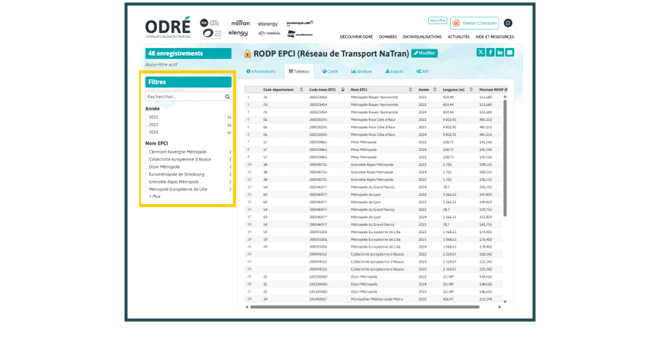
On the left, the Filters panel allows you to narrow down the data displayed in the various views. The filters apply to all views (Table, Map, Analysis, Export, API).
Departmental RODP
Existing filters that you can apply to the data:
- Year: Year N-3, Year N-2, Year N-1
- Department name: list of relevant departments
Municipal RODP
Existing filters that you can apply to the data::
- Year: Year N-3, Year N-2, Year N-1
- Code département : list of all departments (01, 02, 03, …)
- Municipality name: list of relevant departments
EPCI RODP
Existing filters that you can apply to the data: :
- Year : Year N-3, Year N-2, Year N-1
- EPCI Name : list of EPCI / métropoles (Clermont Auvergne Métropole, Eurométropole de Strasbourg, etc.)
The Information view is available for all three datasets and displays the following metadata:
- Dataset IDs (rodp_dept, rodp_com, rodp_epci)
- Themes, Producer, Licence (Etalab Open Licence v2.0)
- Geographical grid (department / municipality / EPCI)
- Time scale (annual), update frequency, historical depth
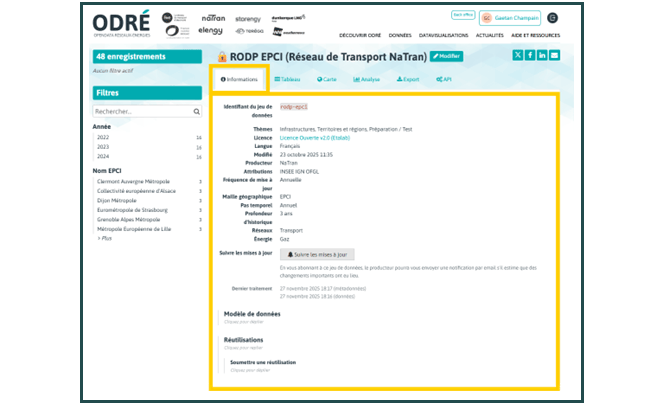
This view allows you to check the scope, grid resolution and usage conditions before using the data.
The Table view displays records in list form. Filters (year, department, municipality, EPCI) can be applied directly to this list.
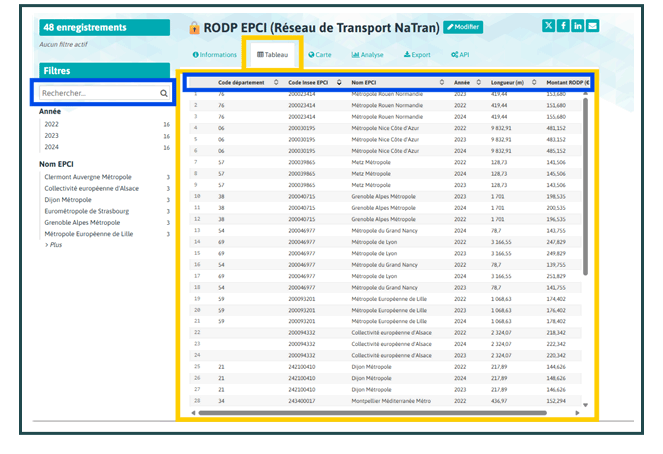
How it works:
- Sorting: click on a column header (e.g. Year, RODP Amount) to sort.
- Quick search: use the ‘Search…’ bar in the Filters panel.
- Scrolling: use the vertical scroll bar to browse through all the records.
Displays the corresponding geographical entities:
- Departments for Departmental RODP
- Municipalities for Municipal RODP
- EPCI for EPCI RODP (if a geometry is associated with the dataset)
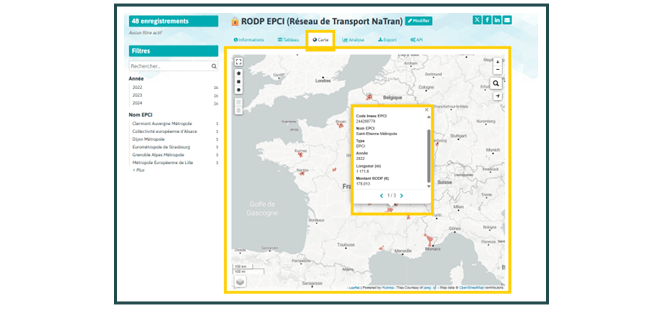
How it works:
- Use the + / − buttons to zoom in and out.
- Click on an entity (department, municipality, EPCI) to open an information window.
- The record summarises the main fields: codes, name, year, length, RODP amount.
- Where multiple years are available for the same entity, the navigation arrows allow you to switch between records (1/3, 2/3, 3/3, etc.).
The filters (Year, Department code, Municipality name, EPCI name) allow you to limit the display to a specific area.
Allows you to download the filtered data for external processing (Excel, BI tools, etc.).
- Tick: ‘I accept the portal’s terms of use and the licence for this dataset.’
- Select the format (CSV, JSON, Excel, GeoJSON, Shapefile, KML, FlatGeobuf (FGB), GPX, Parquet).
- Start the download.
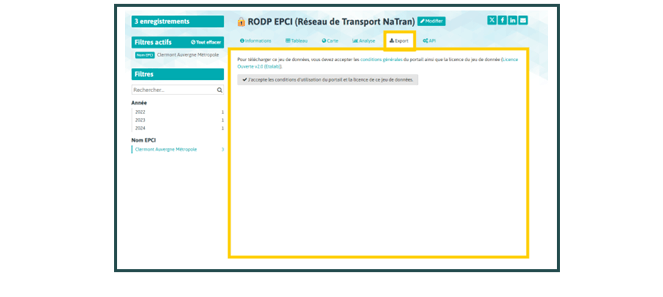
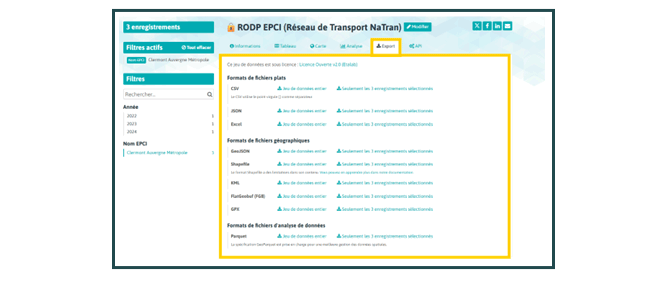
The filters applied (Year, Department name / Department code / Town name / EPCI name) are generally taken into account, allowing you to export only the desired area.
Demande de titre de paiement
Local authorities have two options for submitting their enforcement orders or payment notices:
By post to:
- NaTran
Centre de réception des factures fournisseurs
TSA 80065
45123 Châlette-sur-Loing CEDEX
From September 2026, via the Approved Platforms (directory).
Via the Approved Platform (PA):
- By entering the SIREN number: 440117620_RODP
- Invoices will be automatically forwarded to NaTran.
Questions and Answers
If you spot an error on the shelf, please report it using the ODRÉ form. Your request will then be automatically forwarded to the relevant NaTran contact for processing.
Local authorities that introduce charges are free to set an amount within the limit of the ceiling, the calculation method for which is set out in Article R. 2333-114 of the General Code for Local Authorities. This ceiling is revised annually.
Article L2125-3 of the General Code on Public Property specifies that ‘The fee payable for the occupation or use of public land shall take into account the benefits of any kind conferred on the holder of the authorisation’. For local authorities to collect these fees for the first time, a resolution is required.
The index used to adjust the licence fee ceiling is the ‘Miscellaneous Construction Index – ING – Engineering – Base 2010’, with the identifier 1711010. It is published monthly on the website of INSEE (the National Institute of Statistics and Economic Studies).
The fee ceiling is adjusted annually (in October) based on changes in this index.
Can a local authority claim RODP charges retrospectively for years in which it did not collect them?
A local authority may claim payment of a charge that it has not yet collected, provided that a council resolution authorised its collection.
BD TOPO® is a 3D vector representation (structured as objects) of the features of the territory and its infrastructure, with metre-level accuracy, suitable for use at scales ranging from 1:2,000 to 1:50,000. The procedures for updating BD Topo by the IGN are described in the content description available on the BD TOPO® | Geoservices website.
To extract data from a defined list of local authorities, you need to:
- Go to the Export tab
- Filter the data by selecting the desired local authorities / departments / urban community bodies
- Choose your preferred file format from those available: CSV, Excel
- Download the corresponding filtered dataset
These steps allow you to retrieve only the selected local authorities, in the format best suited to your needs.